

Once you have added Google Tag Manager to WordPress and your GA4 pageview tag is firing, the next step is the part that actually drives decisions: event tracking. An event is any action worth measuring, a quote form sent, a Call now tap, a brochure downloaded. In GA4 these are the signals you later mark as conversions (now called "key events").
How event tracking works in GTM
Three pieces work together inside Tag Manager. Once the pattern clicks, every new event you add follows the same shape:
- Trigger, the "when". The condition that makes a tag fire, for example "a click on any element with the class
wpcf7-submit". - Variable, the "what". A piece of information GTM reads, such as the clicked link URL or the button text.
- Tag, the "send". A GA4 Event tag that forwards the event name and details to Google Analytics.
Step 1: Turn on the built-in variables
- In GTM, open Variables and click Configure in the Built-In Variables panel.
- Tick the Clicks group (Click Element, Click Classes, Click URL, Click Text) and the Forms group.
- Close the panel. GTM can now "see" what visitors click.
Step 2: Track a button or link click
Say you want to measure taps on your Book a call button.
- Go to Triggers > New > Click - All Elements.
- Choose Some Clicks, then set a condition like Click Text contains Book a call.
- Save the trigger as Click - Book a call.
- Now go to Tags > New, choose Google Analytics: GA4 Event, and select your GA4 Configuration tag.
- Set the Event Name to
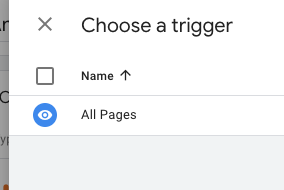
book_a_call(lowercase, underscores, no spaces). - Under Triggering, attach the Click - Book a call trigger, then save.
Step 3: Track form submissions
Most WordPress forms (Contact Form 7, WPForms, Gravity Forms, Elementor) can be tracked one of two ways:
- The Form Submission trigger, GTM's built-in option. Quick, but some AJAX forms do not trigger it reliably.
- A dataLayer event, the robust option. Many form plugins (or the GTM4WP plugin) push a
gtm.formSubmitor custom event into the data layer on a successful send. Create a Custom Event trigger that listens for it, then fire agenerate_leadGA4 Event tag.
generate_lead for enquiries, contact for phone and email clicks. Clean names make GA4 reports and Google Ads imports far easier later.
Step 4: Track phone and email clicks
- Create a Click - Just Links trigger where Click URL starts with
tel:. - Fire a GA4 Event tag named
phone_call_click. - Repeat with Click URL starts with
mailto:for email clicks.
Step 5: Preview, then mark as key events
- Click Preview in GTM and run through the actions on your site. Confirm each event shows under Tags Fired in Tag Assistant. If a tag will not fire, our GTM troubleshooting guide walks through the usual causes.
- In GA4, open Reports > Realtime and watch your events arrive.
- After GTM shows the data, go to GA4 Admin > Events, find your event, and toggle Mark as key event. It now counts as a conversion.
- Return to GTM and Submit and Publish your changes.
Frequently asked questions
What is the difference between an event and a conversion in GA4?
In GA4 everything is an event. A conversion is simply an event you have flagged as important by marking it a "key event". You track the event first, then promote the valuable ones.
Do I need to edit my theme to track events?
No. That is the whole point of Tag Manager. Triggers, variables and tags all live in GTM, so a theme or plugin update never wipes your event tracking.
Why is my form submission event not firing?
Usually the form submits by AJAX, so the page never reloads and the standard Form Submission trigger misses it. Switch to a Custom Event trigger that listens for the data-layer event your form plugin pushes on success.
Want your tracking set up properly, without the guesswork?
We set up GA4, Tag Manager and conversion tracking for Newcastle businesses every week, so you can see exactly where your leads come from. Get a free, no-obligation audit of your current setup.